
|
Screenie is a utility for taking screenshots of your Windows desktop. With Screenie, you can automatically send your screenshots to a FTP site, disk, or to the Windows clipboard. Image editing such as cropping (trimming), resizing, and highlighting are also included. |
|
Feature List
|
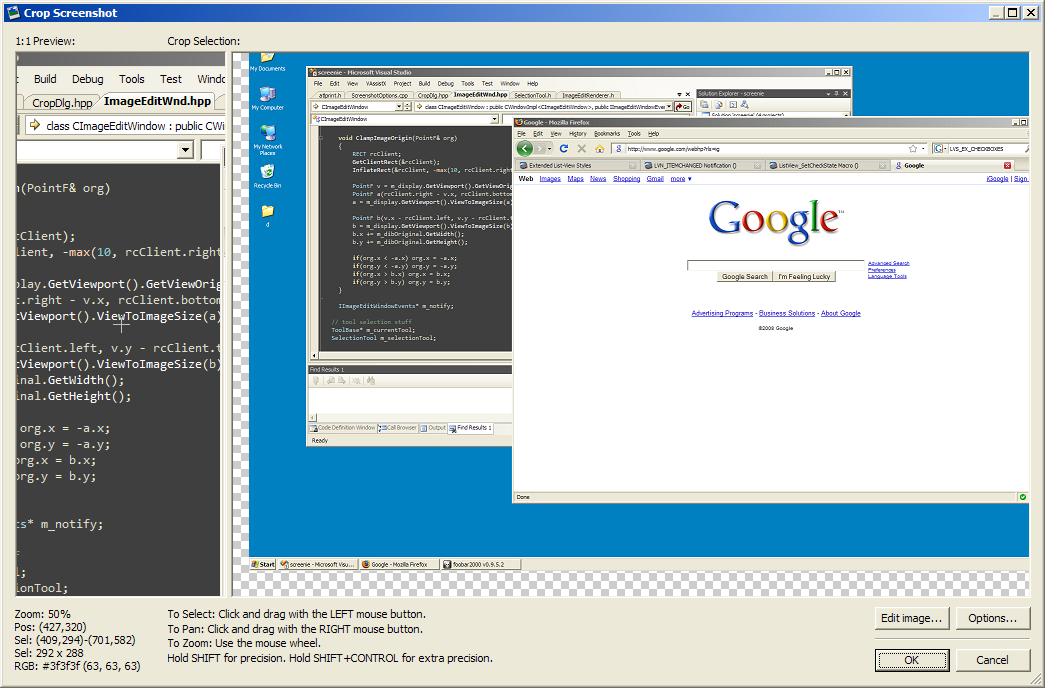
|
Version 1.245.0.0
Posted on 1/25/2022 5:45am
Changes

|
High DPI support |
Download Screenie-1.245.0.0.exe (1.37 MB)
MD5 3EBA2CF9C15A7DDEDBCCB9983557FFD4
MD5 3EBA2CF9C15A7DDEDBCCB9983557FFD4
Version 1.241.0.0
Posted on 5/20/2010 9:58am
Changes
|
|
FTP path & URL could be out of sync before. Fixed. |
|
|
FTP paths were being miscalculated |
|
|
Other minor fixes |
Download Screenie-1.241.0.0.exe (1.35 MB)
MD5 DB533B63DBE296BE3C789FFEF872DA55
MD5 DB533B63DBE296BE3C789FFEF872DA55
Version 1.239.0.0
Posted on 5/15/2010 3:51am
Changes
|
|
This build replaces build 1.237 due to a crash. |

|
Added HSV info to info panel |
|
|
New toolbar layout |
|
|
You can now select destinations on the crop window |
|
|
Added keyboard shortcuts for zooming (helpful if you don't have a mouse wheel) |
|
|
Local directories are automatically created for you if they don't already exist |
|
|
Changed the way destination paths work; now you can add formatting all parts of the path, not just the filenames |
|
|
Fixed broken keyboard shortcuts on crop window |
|
|
Minor GUI fixes and improvements |
Download Screenie-1.239.0.0.exe (1.35 MB)
MD5 DF9E72A39C2F0F1D19FBE970F0181F5D
MD5 DF9E72A39C2F0F1D19FBE970F0181F5D
Version 1.228.1.0
Posted on 12/9/2009 5:44pm
Changes
|
|
Added support for URL shortening using bit.ly |
Download Screenie-1.228.1.0.exe (1.34 MB)
MD5 46703F4EC209804BB21D295836A9FEA3
MD5 46703F4EC209804BB21D295836A9FEA3
Version 1.225.0.0
Posted on 7/17/2009 7:13am
Changes
|
|
Fixed selection rect info box on the image edit window |
|
|
better formatting of file sizes |
|
|
Added info box update toggling on the image edit window (so you can lock the values there) |
|
|
Info box is now an edit box, so you can copy the text on the image edit window |
|
|
Changed some GUI labels |
Download Screenie-1.225.0.0.exe (1.33 MB)
MD5 0650E854876E9465094E367EDC367DBF
MD5 0650E854876E9465094E367EDC367DBF
Copyright © 2005-2010 Carl Corcoran and Roger Clark.